
Screenshot Detection
BETA screenshotDetect if an image is a screenshot: a picture captured from an app, a website or a device screen, rather than an original photo.
This model is currently gated. Access is only available to select enterprise users and partners. Please reach out for details.
Overview
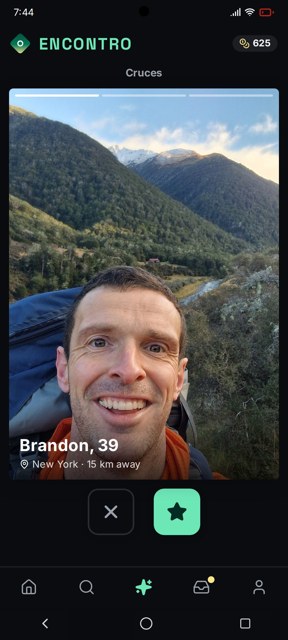
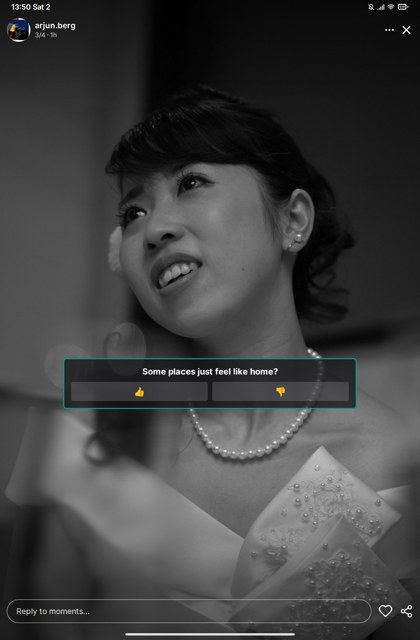
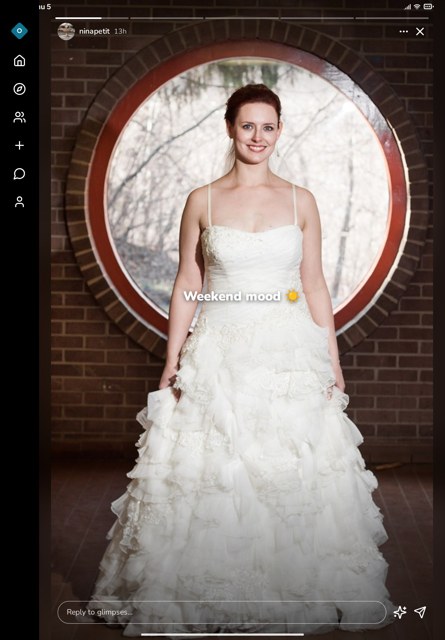
The Screenshot Detection model determines if an image shows the interface of an app, a website or a device: a photo in a social media post, a video with its player controls, a conversation, a web page.
It returns a screenshot score between 0 and 1, in the type object. The higher the score, the more likely the image is a screenshot.
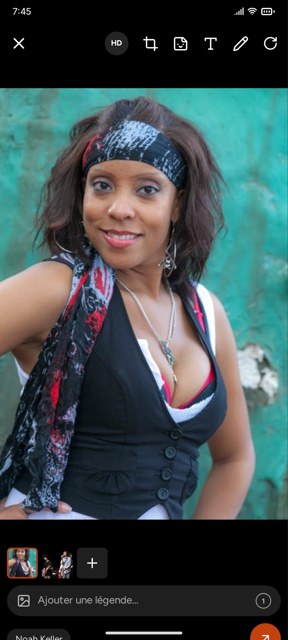
The model works on the pixels only: it looks for interface elements such as status bars, buttons, icons or usernames. It does not use metadata, which can easily be edited or removed. It works on mobile and desktop screenshots, even when only a few interface elements remain on the edges.
Use cases
- Detect profile pictures that are screenshots of someone else's photo
- Detect impersonation and catfishing attempts
- Flag listings or dating profiles that reuse content from other platforms
Related models
- Image Recapture Detection: detect photos of a screen or of a printed image
- Type Detection: detect if an image is a photo or an illustration
What is detected
Detected as screenshot
The image shows the interface of an app, a website or a device, even partially:
- social media and messaging apps: post, story, chat
- video players, live streams and video calls
- camera, gallery and photo editing apps
- web pages, online stores and desktop software
- annotated screenshots (arrows, frames)
Not detected as screenshot
The image does not show any interface:
- original photos, even with a filter, stickers or a text overlay
- photos of a screen, where the edges of the device are visible (see Image Recapture Detection)
- 3D renderings and AI-generated images
- posters, drawings and pages of text
- screenshots cropped to the content only, with no interface left
Examples
Detected as screenshot
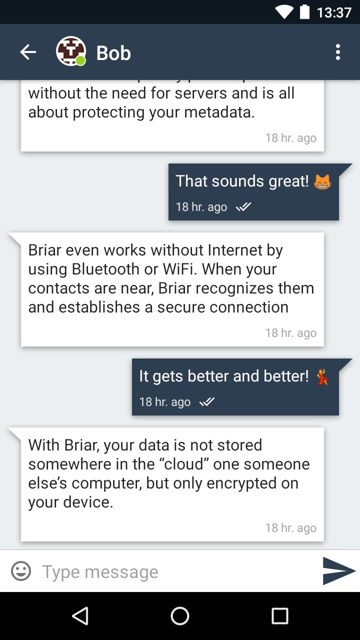
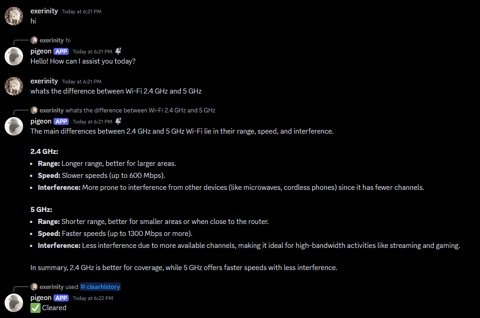
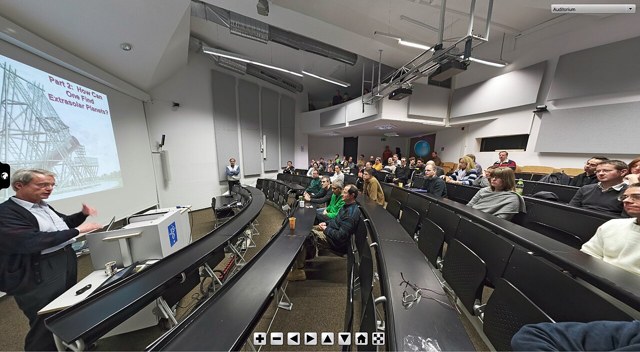
Not detected as screenshot
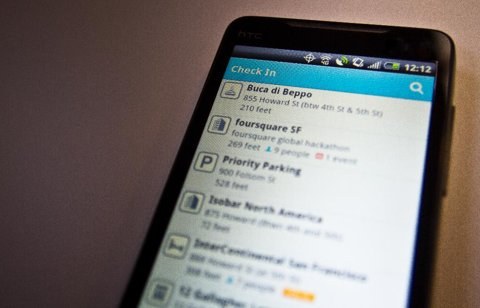
The app interfaces in the dating profile, story and photo sending examples are generated mock-ups with fictitious brands. Photos displayed in them (cropped, resized and placed into the mock-ups): Tom selfie tramping by Tdbnz, CC0 · Picture of a bride at a wedding in Japan by Teppei Isobe, CC BY 3.0 · Bike by Sheila Tostes, CC BY 2.0 · Woman with a great smile by Frank Kovalchek, CC BY 2.0 · Pancakes by Piotr Drabik, CC BY 2.0 · Olsen Art - Bride by Lucky Lynda, CC BY 2.0 · Fountain at Piazza Broletto in Mantova by Tournasol7, CC BY 4.0.


Image credits: Screenshot of Briar 03 private messages by Sublime Software Ltd., CC BY 4.0 · Pigeon ex3 discord bot by Sparkfire298, public domain · Screenshot of ESO virtual tours 360° at ESO Headquarters by ESO, CC BY 4.0, resized, and cropped for the second example · foursquare by Tony Webster, CC BY 2.0. All images are resized.


Code examples
Upload a file or send an image URL, pick your language, and receive a JSON response. Need credentials first? Create a free account →
curl -X POST 'https://api.sightengine.com/1.0/check.json' \
    -F 'media=@/path/to/image.jpg' \
    -F 'models=screenshot' \
    -F 'api_user={api_user}' \
    -F 'api_secret={api_secret}'
# this example uses requests
import requests
import json

params = {
  'models': 'screenshot',
  'api_user': '{api_user}',
  'api_secret': '{api_secret}'
}
files = {'media': open('/path/to/image.jpg', 'rb')}
r = requests.post('https://api.sightengine.com/1.0/check.json', files=files, data=params)

output = json.loads(r.text)
$params = array(
  'media' => new CurlFile('/path/to/image.jpg'),
  'models' => 'screenshot',
  'api_user' => '{api_user}',
  'api_secret' => '{api_secret}',
);

// this example uses cURL
$ch = curl_init('https://api.sightengine.com/1.0/check.json');
curl_setopt($ch, CURLOPT_POST, true);
curl_setopt($ch, CURLOPT_RETURNTRANSFER, true);
curl_setopt($ch, CURLOPT_POSTFIELDS, $params);
$response = curl_exec($ch);
curl_close($ch);

$output = json_decode($response, true);
// this example uses axios and form-data
const axios = require('axios');
const FormData = require('form-data');
const fs = require('fs');

data = new FormData();
data.append('media', fs.createReadStream('/path/to/image.jpg'));
data.append('models', 'screenshot');
data.append('api_user', '{api_user}');
data.append('api_secret', '{api_secret}');

axios({
  method: 'post',
  url:'https://api.sightengine.com/1.0/check.json',
  data: data,
  headers: data.getHeaders()
})
.then(function (response) {
  // on success: handle response
  console.log(response.data);
})
.catch(function (error) {
  // handle error
  if (error.response) console.log(error.response.data);
  else console.log(error.message);
});
| Parameter | Type | Description |
| media | file | image to analyze |
| models | string | comma-separated list of models to apply |
| api_user | string | your API user id |
| api_secret | string | your API secret |
API response
The API returns a JSON response with the following structure:
{
  "status": "success",
  "request": {
    "id": "req_1SJJxJjUHnSVWreApx9fF",
    "timestamp": 1693574119.571633,
    "operations": 1
  },
  "type": {
    "screenshot": 0.99
  },
  "media": {
    "id": "med_1SJJEFuLqeSedThQjhNoS",
    "uri": "https://sightengine.com/assets/img/doc/screenshot/screenshot-dating-profile.jpg"
  }
}
Successful Response
Status code: 200, Content-Type: application/json| Field | Type | Description |
| status | string | status of the request, either "success" or "failure" |
| request | object | information about the processed request |
| request.id | string | unique identifier of the request |
| request.timestamp | float | timestamp of the request in Unix time |
| request.operations | integer | number of operations consumed by the request |
| type | object | results for the model |
| media | object | information about the media analyzed |
| media.id | string | unique identifier of the media |
| media.uri | string | URI of the media analyzed: either the URL or the filename |
Error
Status codes: 4xx and 5xx. See how error responses are structured.The model returns a score in the type object (type.screenshot). This score is a float ranging from 0 to 1; the closer to 1, the more likely the image is a screenshot.
Frequently asked questions
Does the model use the image metadata?
No. The model only analyzes the pixels of the image. Metadata such as EXIF data, the file name or the file format are ignored, because they can be edited or removed by anyone. A screenshot is detected thanks to the interface elements visible in the image.
Is a photo of a screen detected as a screenshot?
No. A photo taken with a camera that shows a phone, a computer or a TV screen, with the edges of the device or of the screen visible, is a photo and not a screenshot. It gets a low screenshot score. To detect photos of screens, use the Image Recapture Detection model.
Which apps and websites are covered?
The model is not limited to a list of platforms. It looks for generic interface elements (status bars, buttons, icons, menus, player controls) and works on screenshots of social networks, messaging apps, video platforms, e-commerce websites, camera and gallery apps, browsers and desktop software, on mobile and desktop.
What if the interface has been cropped out of the screenshot?
If the screenshot has been cropped so that no interface element remains visible, the image cannot be told apart from an original image and gets a low score. If several interface elements remain visible, even small ones on the edges of the image (icons, a username, a counter, a button), the image is detected as a screenshot.